Index
Index
How to Check Your IPO Allotment Status on IPO360
You applied for an IPO, your money got blocked through ASBA or UPI, and now the waiting begins. The single question every applicant asks is simple: did I get the shares or not? Checking your IPO allotment status tells you exactly that — whether shares were allotted against your application, and how many. In India, allotment status typically goes live by the evening of the allotment date, usually one working day after the IPO closes. This guide shows you the fastest way to check it on IPO360 — either all IPOs at once through the live tracker, or a single IPO straight from its own page — and how to find the allotment date in advance so you know exactly when to look.
Practical Tips
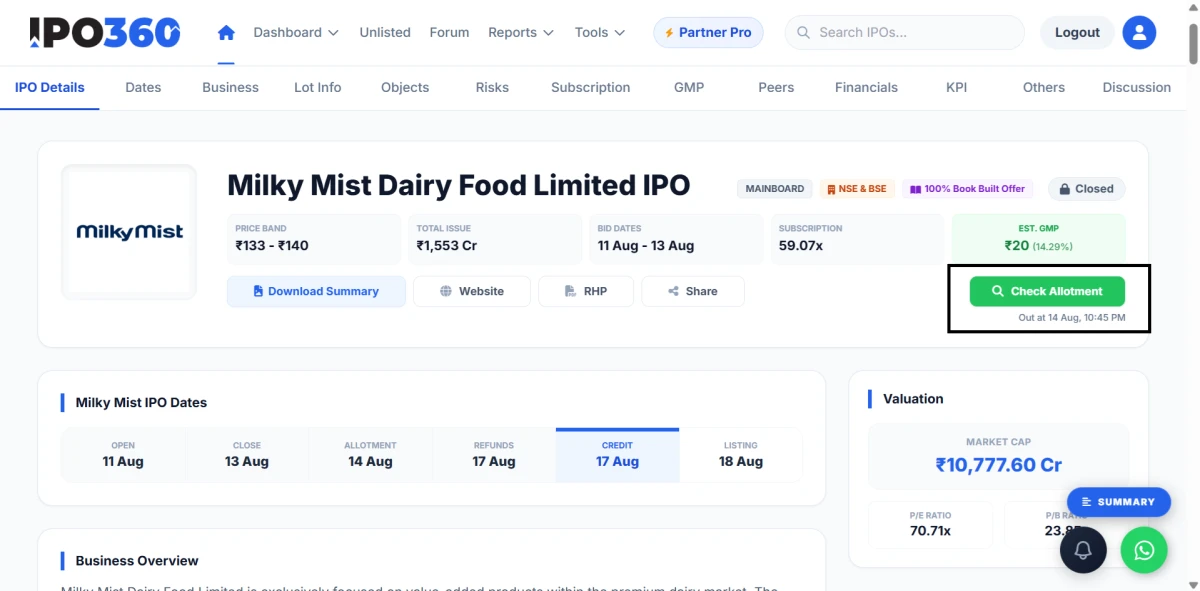
Method 2: Check a Single IPO from Its IPO360 Page
If you're only tracking one specific IPO, you don't even need the main tracker. Every individual IPO page on IPO360 carries the allotment status right at the top of the page. For example, on the Milky Mist Dairy Food IPO page at ipo360.in/company/milky-mist-dairy-food-limited-ipo, the allotment status appears at the very top as soon as it goes live.
This is convenient because the IPO page is usually where you already researched the issue — the GMP, subscription figures, price band, and lot size are all on the same page. Once allotment is out, you check your status without leaving the page you were already on. Like the main tracker, these individual pages reflect the live allotment position, so what you see is always the current status, not a stale one.
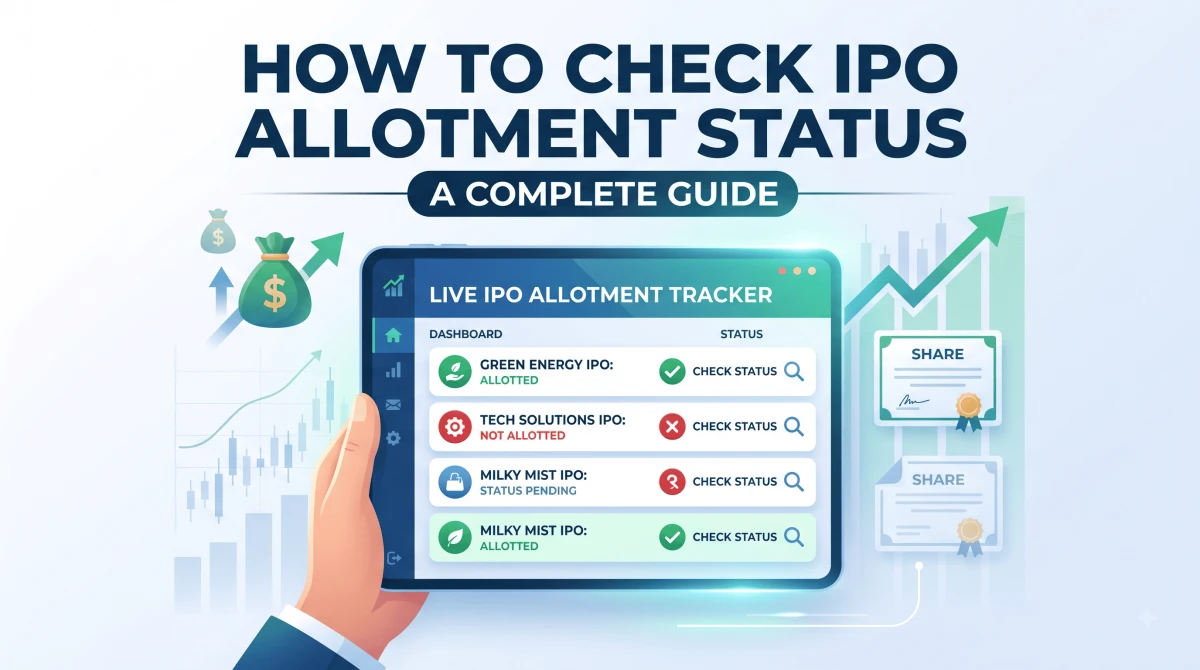
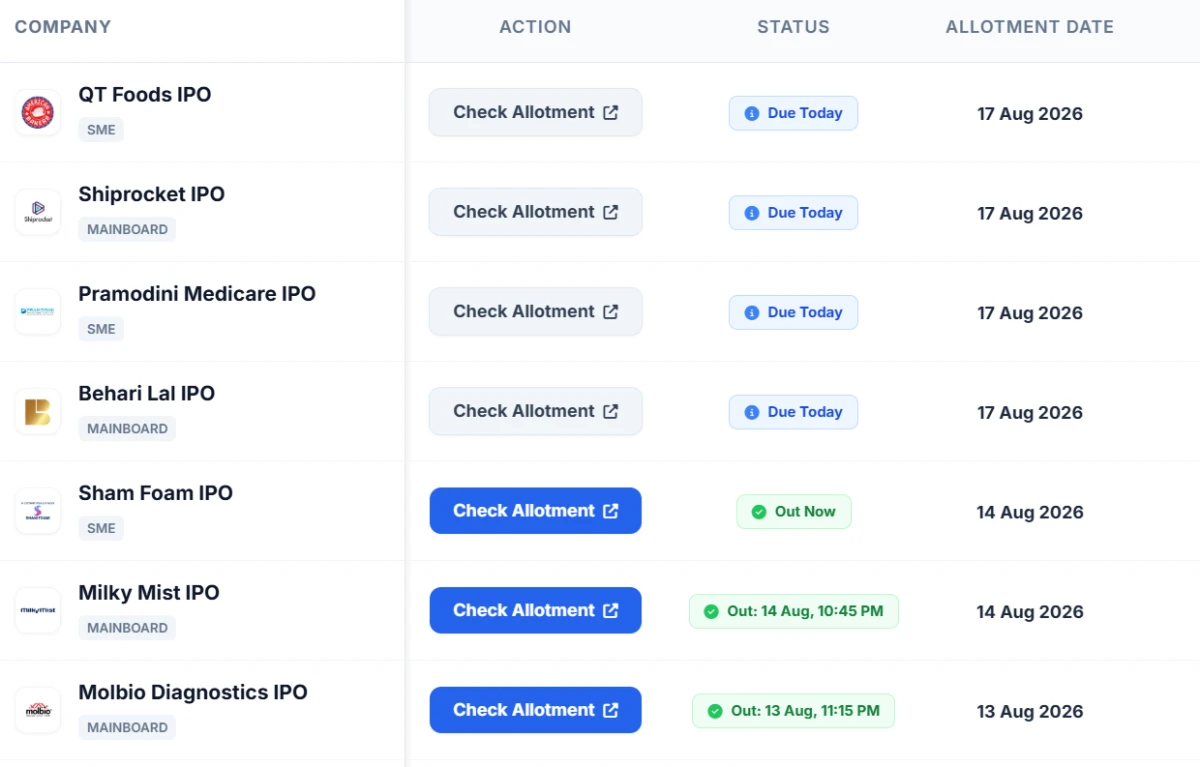
The simplest way to track your allotment is IPO360's dedicated allotment tracker at ipo360.in/allotment-status. Instead of hunting for the right portal, remembering which IPO used which system, and re-entering your details each time, you get every recent and current IPO in one place.
The key advantage is that it works on a real-time basis. As and when the allotment for any IPO is finalised and released, the status updates on this page automatically — you don't have to keep refreshing or guess whether the basis of allotment is out yet. This matters most on busy allotment days, when several IPOs settle within hours of each other and you want a single dashboard rather than chasing each one separately.
For anyone juggling multiple IPO applications across a season, this consolidated live view removes the biggest friction point: figuring out where to look. You see everything, live, from one screen.
Method 2: Check a Single IPO from Its IPO360 Page
If you're only tracking one specific IPO, you don't even need the main tracker. Every individual IPO page on IPO360 carries the allotment status right at the top of the page. For example, on the Milky Mist Dairy Food IPO page at ipo360.in/company/milky-mist-dairy-food-limited-ipo, the allotment status appears at the very top as soon as it goes live.
This is convenient because the IPO page is usually where you already researched the issue — the GMP, subscription figures, price band, and lot size are all on the same page. Once allotment is out, you check your status without leaving the page you were already on. Like the main tracker, these individual pages reflect the live allotment position, so what you see is always the current status, not a stale one.
Practical Tips
When Is the Allotment Date? How to Find It on IPO360
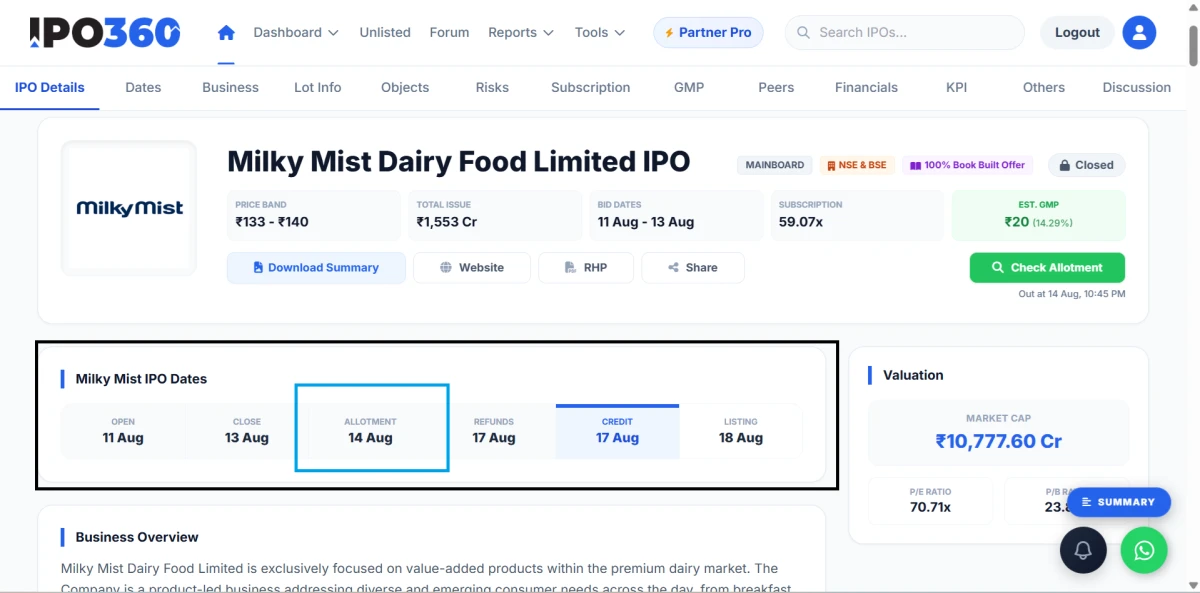
Before you can check your status, it helps to know when results are due — the allotment date. This is the day the registrar finalises the basis of allotment and the results go public. You don't have to memorise or calculate it: the allotment date for every IPO is listed in the IPO's timeline on its individual IPO360 page, right alongside the open date, close date, and expected listing date.
Under SEBI's streamlined T+3 framework, the timeline is predictable. The day the IPO bidding closes is called Day T. One working day later, on T+1, the basis of allotment is finalised — this is your allotment date. On T+2, funds are unblocked for non-allottees and shares are credited to the demat accounts of those who were allotted. The stock then lists on T+3, three working days after the issue closes. So if an IPO closes on a Monday, allotment is typically finalised on Tuesday, and listing follows shortly after.
The table below summarises the standard timeline so you know exactly what to expect on each day.
| Day | What happens |
|---|---|
| Day T | IPO bidding closes |
| Day T+1 | Basis of allotment finalised (allotment date) |
| Day T+2 | Funds unblocked for non-allottees; shares credited to allottees |
| Day T+3 | Shares list on the exchange |
Because IPO360 shows the allotment date directly on each IPO's page, the simplest approach is to open the page for the IPO you applied to, note the allotment date from its timeline, and come back on that day — or just watch the live tracker, which will flip to showing results the moment they're out.
What You Need Before You Check
Whichever way you check on IPO360, the identifiers are the same, and having one ready lets you check instantly. Your three go-to identifiers are your PAN (your 10-character Permanent Account Number, the easiest option), your IPO application number (found on the mandate confirmation from your bank or broker), and your DP/Client ID (your demat account number — 16 digits for CDSL, or IN followed by 14 digits for NSDL). Any one of these is enough. You don't need all three, and you don't need any login to check on IPO360.
What Happens After You Check
If you were allotted shares, they'll be credited to your demat account on T+2, ahead of listing day. If you weren't allotted — common when an IPO is heavily oversubscribed and the retail category goes to a lottery — the full amount blocked in your ASBA account is automatically unblocked, usually within one to two working days of the allotment date, with no action needed from your side. No shares means no money leaves your account beyond the temporary block.
Knowing your status early also helps you plan your listing-day move. If you're allotted and the grey market premium has been strong, you can decide in advance whether to book listing gains or hold. If you missed out, you can still buy on the open market once the stock lists — though that's a separate decision with its own risks.